A clear schedule
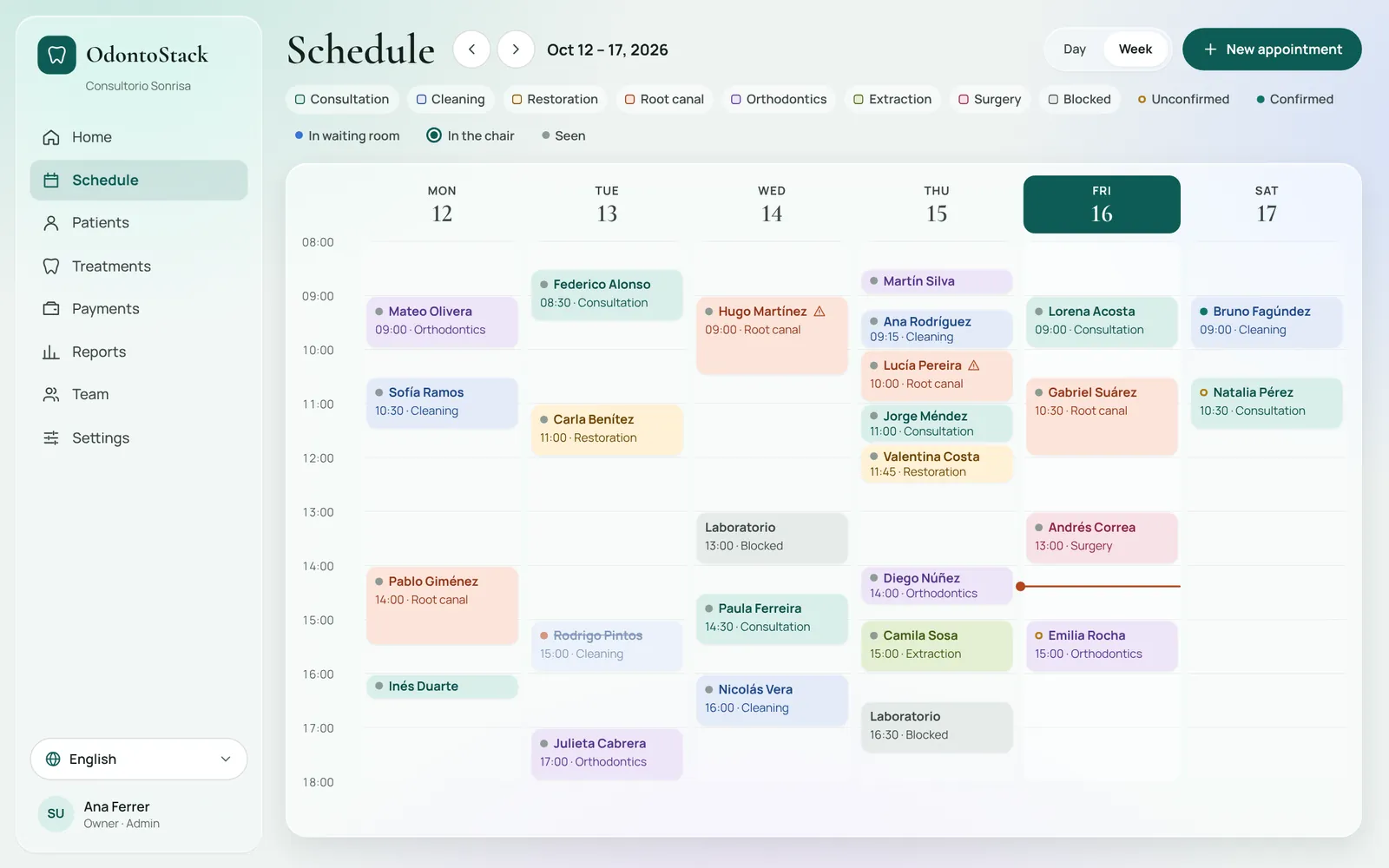
Day and week with each appointment’s status: unconfirmed, waiting, in chair, seen. Reschedule in two taps.


Schedule, patient records, dental chart and payments in one place. Built for independent practices; available in Uruguay for now.
Works on computer, tablet and phone. Nothing to install.What you note at the chair updates the plan, the dental chart and the patient’s balance. No side spreadsheets.
Day and week with each appointment’s status: unconfirmed, waiting, in chair, seen. Reschedule in two taps.
We draft the message for each of tomorrow’s appointments and you send it on WhatsApp with one tap. When the patient replies, you mark the appointment as confirmed.
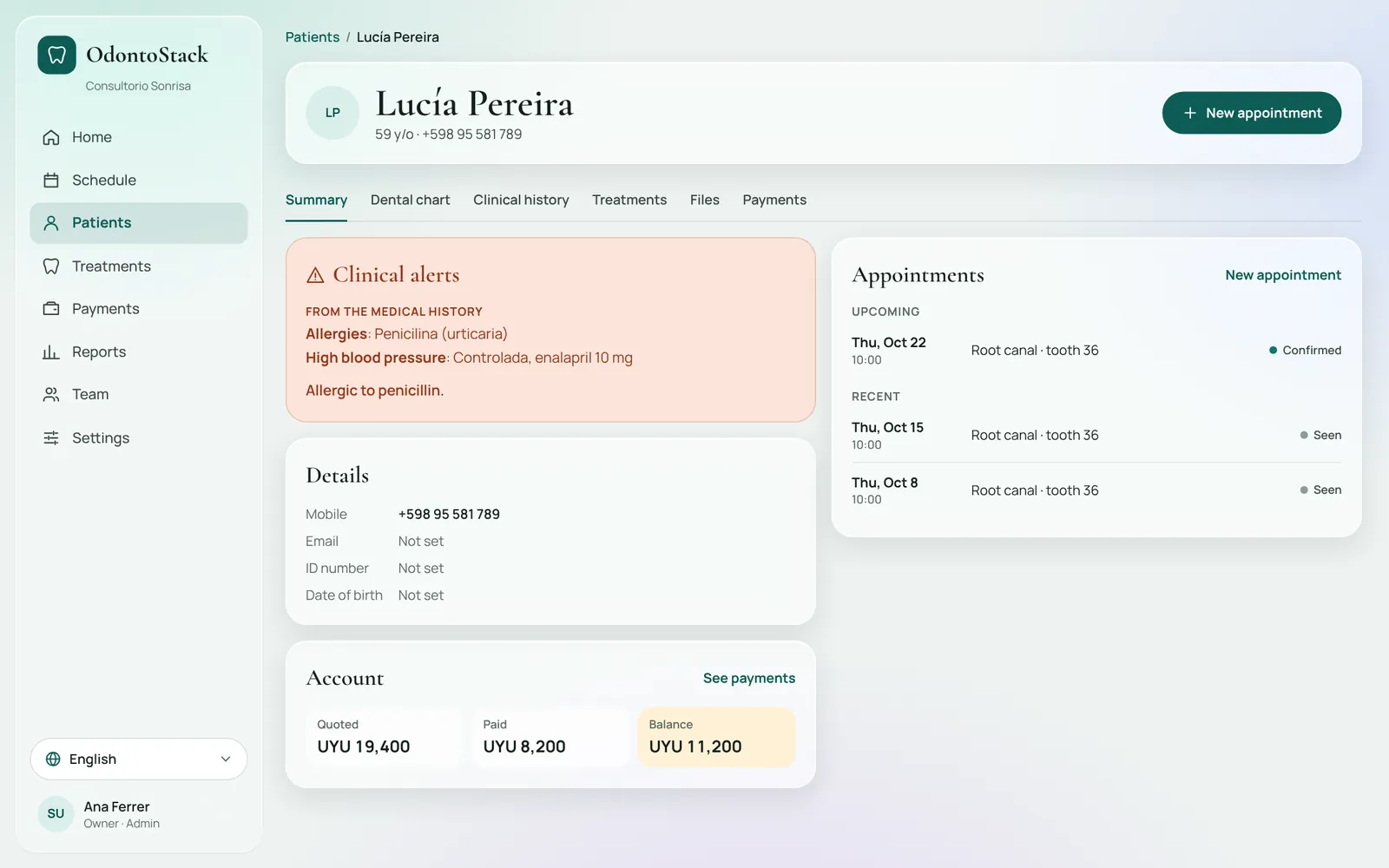
Allergies in view, teeth marked by finding, and a clinical history with every note.
Pick teeth and treatments from your price list. Each quote has a valid-until date, and you can print it or save it as a PDF.
Cash, debit, credit or transfer. Numbered receipts to print, save as PDF or send on WhatsApp, and a balance that is always current.
Roles for the owner, dentists and front desk. Each person sees and does only what they should.
Real OdontoStack screenshots with sample data. It works the same on a computer, tablet or phone.
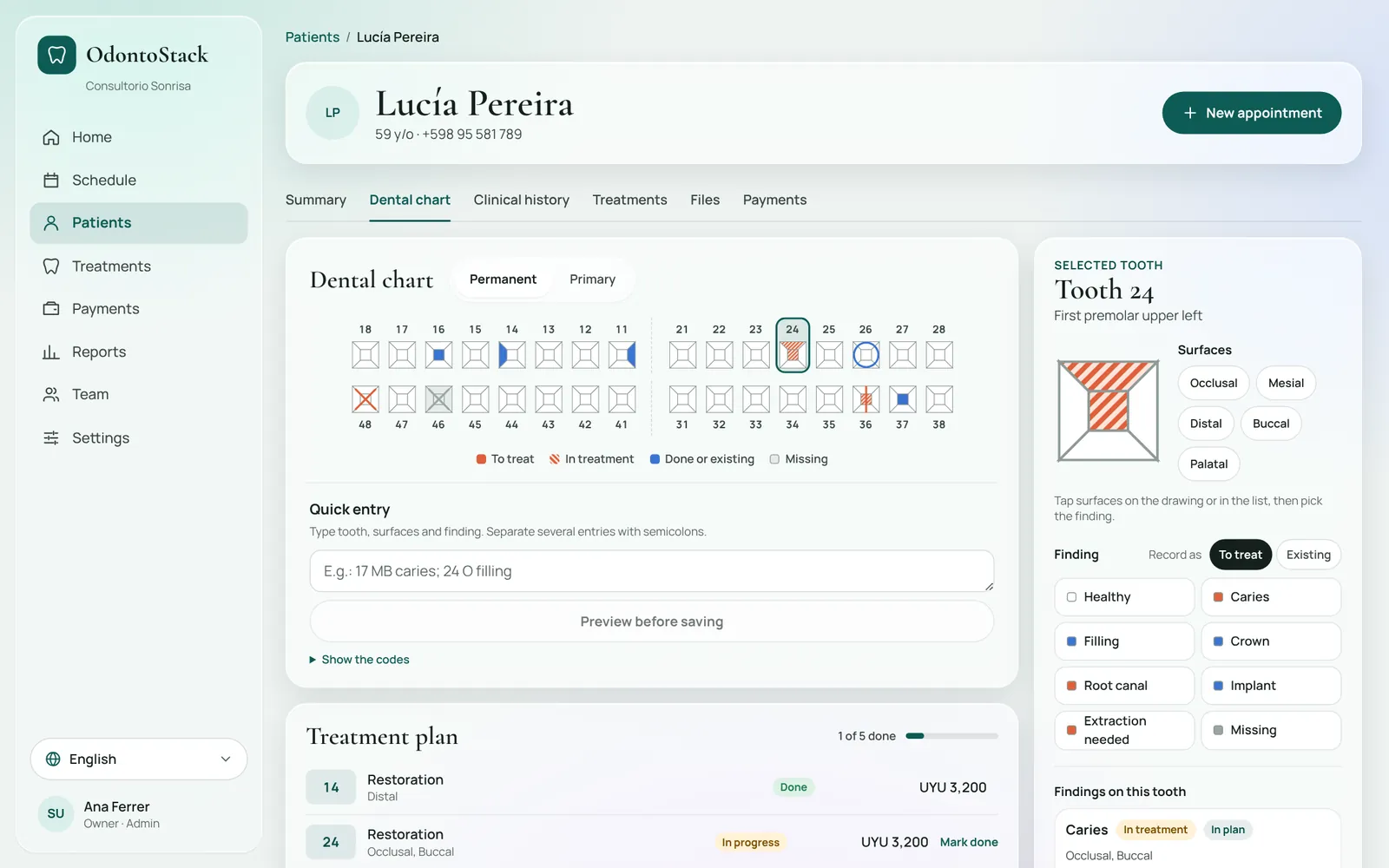
FDI chart with permanent and primary teeth, surfaces and color-coded findings. Pick the tooth, mark the finding and it goes into the plan, or enter it by typing a quick code like “36 O caries”.
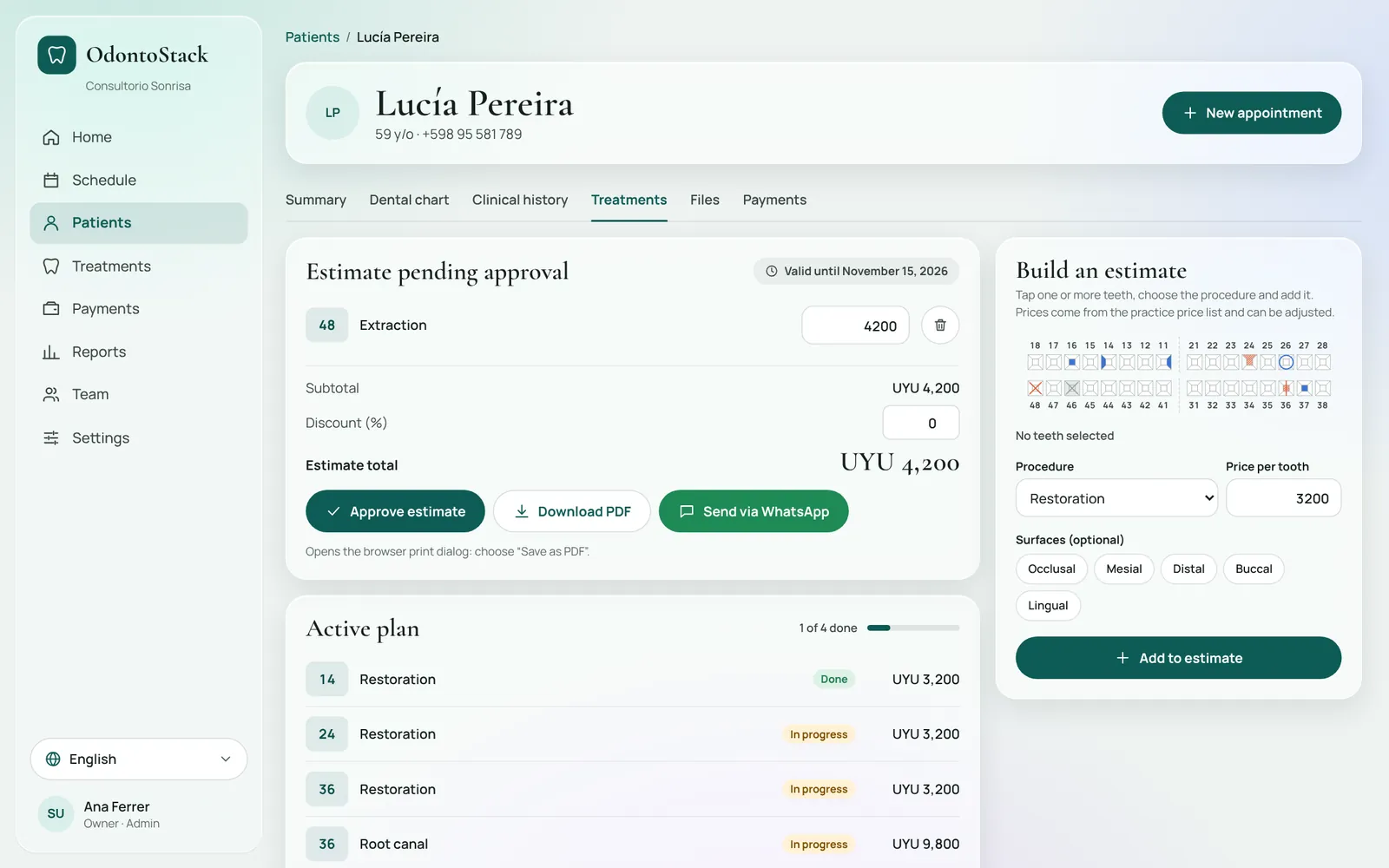
Build the quote from the dental chart with your price list. It has a valid-until date, and you can download it as a PDF or send it on WhatsApp for the patient to approve.
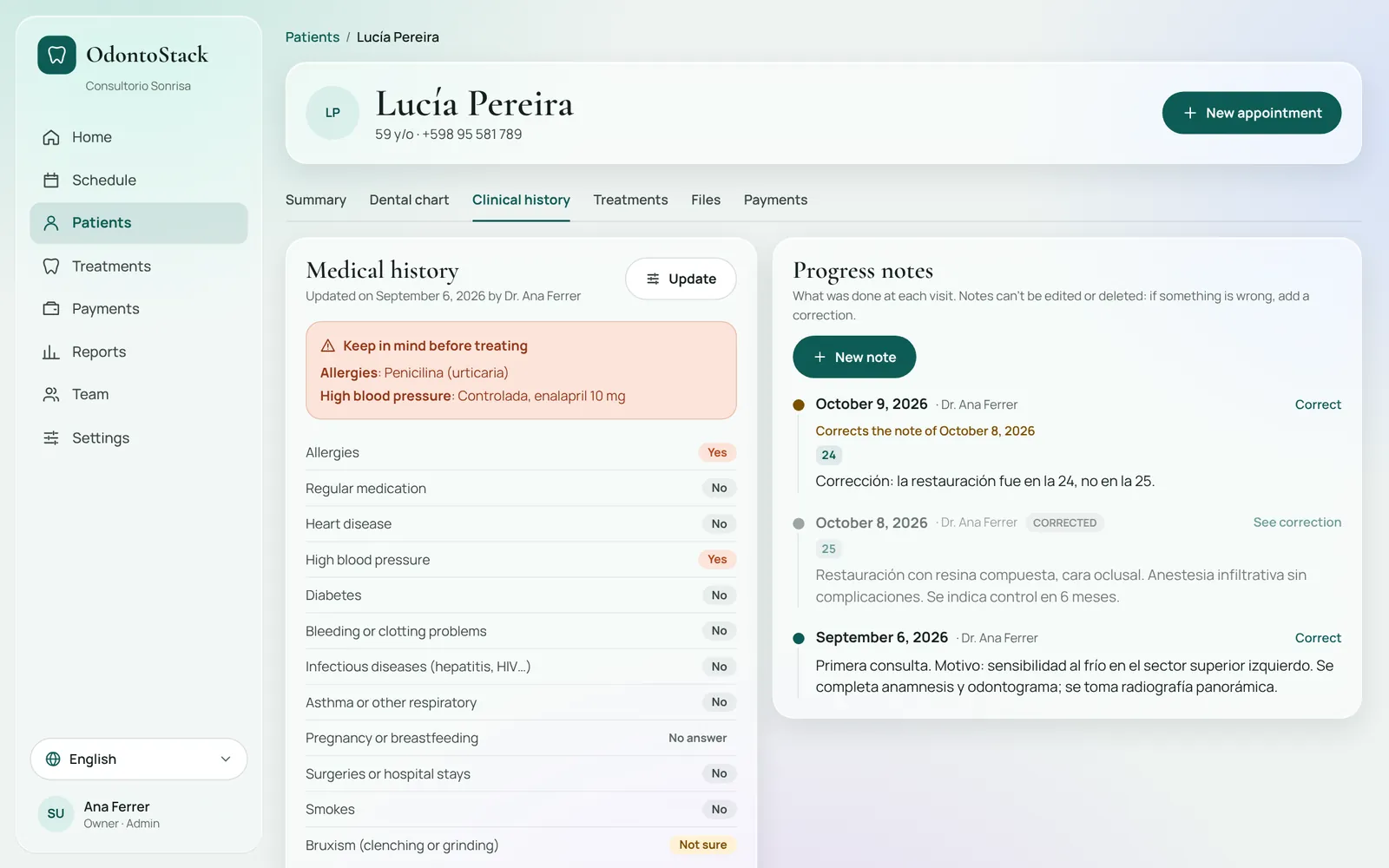
Medical history with alerts you see before treating, and clinical notes that can't be edited: if something was wrong, you add a correction.
Day and week per professional, with each appointment's status and blocked times. Clinical alerts show up on the appointment itself.
Details, clinical alerts, upcoming appointments and the patient's account: quoted, paid and balance, on one screen.
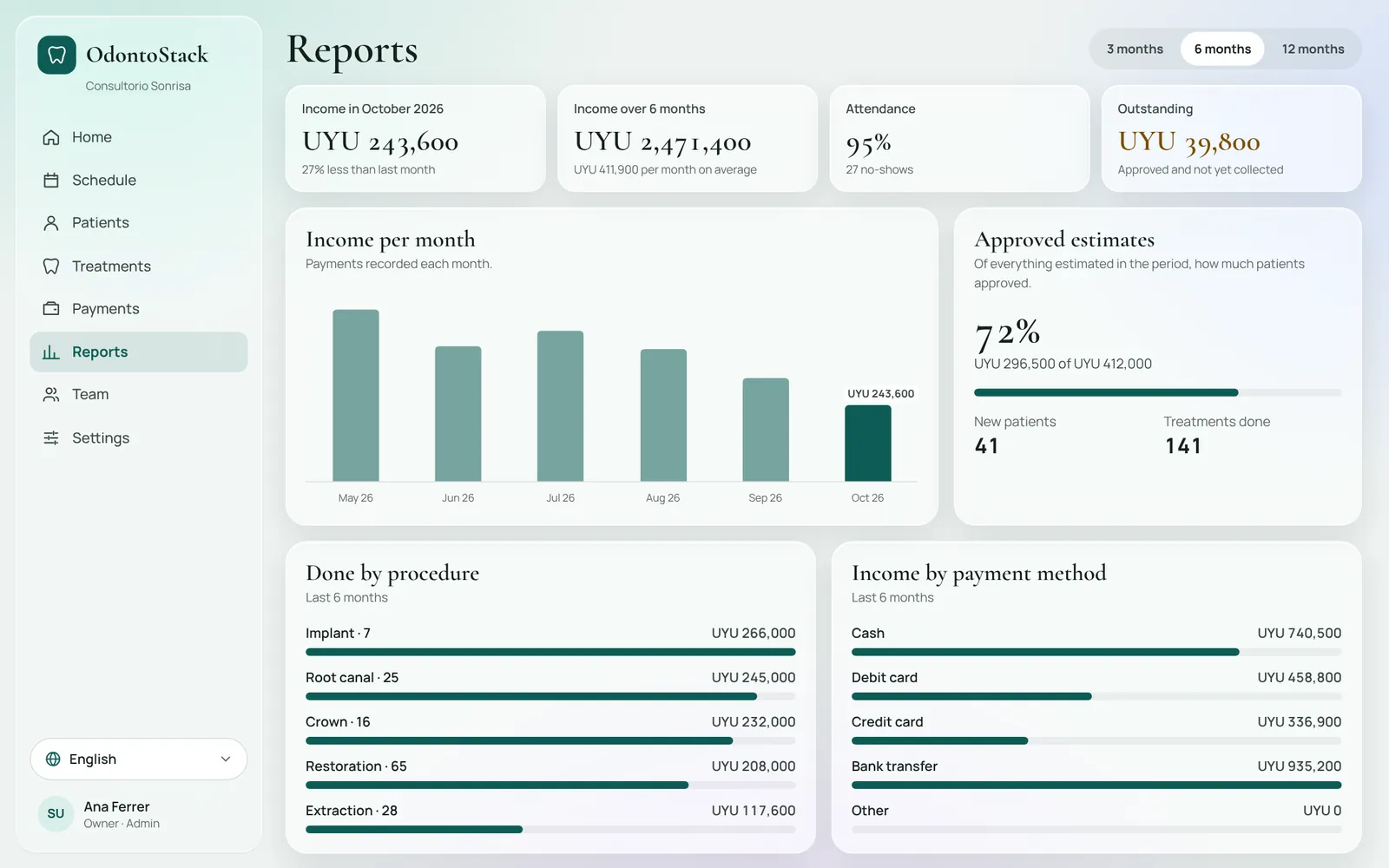
Income per month, attendance, approved quotes, and what you collected by procedure and by payment method.
Pick the patient, treatment, tooth and a free slot.
Send the notice on WhatsApp and mark the appointment when the patient confirms.
Dental chart, clinical note and quote from the same record.
Record the payment and send the receipt on WhatsApp or print it.
Each practice has its own database, separate from the rest.
Sign-in with a verified email or a Google account. Each person has their own user and sees only what their role allows.
It records who viewed or changed clinical and payment data.
No tiers or locked features: what you see is what you get from day one.
Pay with Mercado Pago. For now, for practices in Uruguay.
No. OdontoStack runs in the browser on your computer, tablet or phone.
Not yet. The system lists tomorrow’s appointments with the message ready, and you send it from your WhatsApp with one tap.
The plan includes one professional (you or a dentist) and unlimited front desk users. Each additional dentist adds UYU 490 per month.
With a monthly Mercado Pago subscription. We don’t store your card details.
You keep using OdontoStack until the end of the paid period. After that the practice becomes read-only: you can view your information and export each patient's data, but not add new data.
Spanish, Portuguese and English. You can switch on any screen.
Tell us how your practice works and we will reply through the channel you prefer.
Or write to us directly at gaston.nicolas.morales.olivera@gmail.com
Create your account and have the practice ready in a few minutes. 30-day free trial, no card required.
Start the free trial